Smart Home Starter Guide
Everything you need to start a smart home in an apartment, in order: choose a system, start with plugs and lights, add sensors, and keep it secure and renter-safe.
In this article
- Start here
- Step 1: Choose one system
- Step 2: Start with a smart plug
- Step 3: Add smart lighting
- Step 4: Add sensors that prevent problems
- Step 5: Use it to save energy
- Keep it secure and renter-safe
- Putting it together
- Keep reading
- Choose your system first
- A sensible first month
- Privacy and security
- Frequently asked questions
Start here
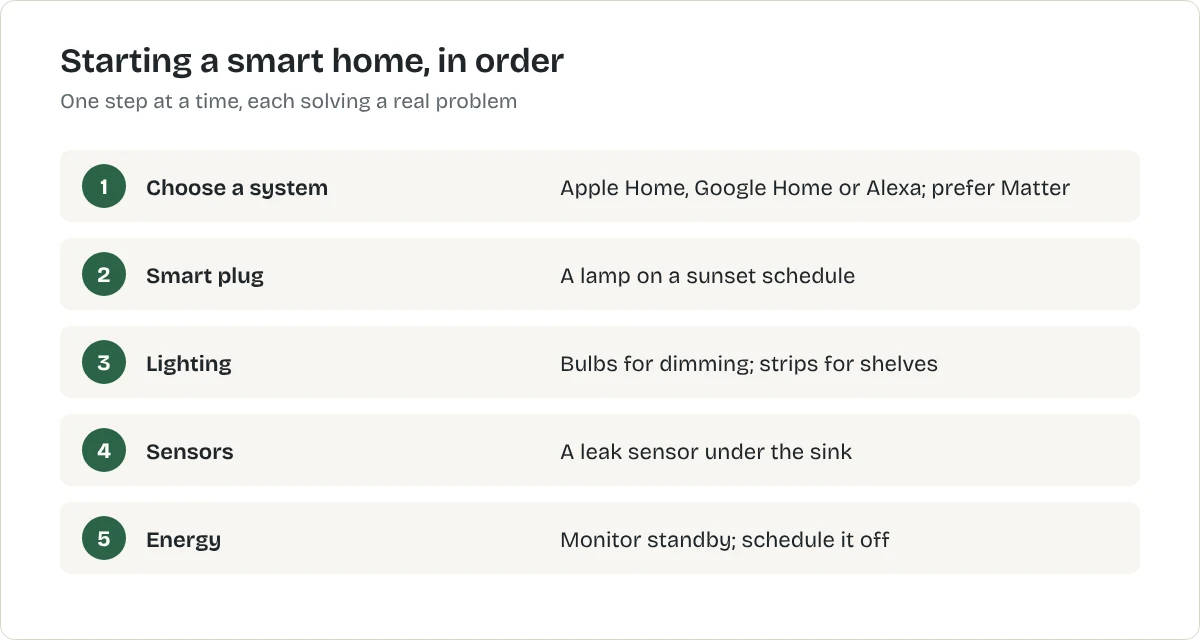
A smart home is ordinary devices you can control from your phone, by voice or on a schedule. In an apartment, the useful ones share three features: they plug in or stick on, they need no rewiring, and they leave with you. This guide sets out the order to do things in and links to the detailed article for each step.
Step 1: Choose one system
Pick the app that will run everything, usually the one that matches your phone: Apple Home for iPhone households, Google Home for Android, or Alexa if you already own Echo speakers. Buying devices with the Matter logo keeps your options open, because Matter works with all three.
Step 2: Start with a smart plug
A smart plug turns any lamp, fan or simple heater into something you can schedule. It is the cheapest device and teaches you how the app works.
Step 3: Add smart lighting
Smart bulbs add dimming and warm evening light; LED strips light dark shelves. Remember that a smart bulb only works while the wall switch is on.
Step 4: Add sensors that prevent problems
A leak sensor under the sink or by the washing machine warns you early about a problem that could cost your deposit or reach the flat below. Contact and motion sensors stick on and can switch lights on when you come home.
Step 5: Use it to save energy
An energy-monitoring plug shows what standby costs. Smart thermostats and radiator valves cut heating, with the landlord's agreement where wiring is involved.
Keep it secure and renter-safe
- Use a strong, unique password for each account and turn on two-factor sign-in.
- Install updates; buy from makers that provide them.
- Tell housemates and guests about any indoor camera, and switch it off when people expect privacy.
- Ask your landlord before fitting anything to doors, locks, the thermostat or shared entrances.
- Before you move out, remove each device from your account and reset it.
Putting it together
A good first month looks like this: one system chosen, a smart plug on the main lamp with a sunset schedule, a leak sensor under the sink, and one routine that solves a real annoyance. Live with that before adding more. The smart home starter quiz suggests an order for your home.
Keep reading
Choose your system first
Most smart home devices work best when they belong to one system: Amazon Alexa, Google Home or Apple Home. Pick the one that matches the phone and speakers you already use; Alexa vs Google Home vs Apple Home compares them. Devices labelled Matter work with all three, which keeps your options open if you change later; what is Matter explains how.
A sensible first month
- Week one: one smart plug on a living-room lamp, on a sunset schedule.
- Week two: a smart bulb in the bedroom, dimmed in the evening.
- Week three: a speaker or hub if you want voice control.
- Week four: decide whether you actually use it. If you do, add more; if not, stop there.
Privacy and security
Use a strong, unique password for each account, turn on two-step sign-in, and keep the apps updated. Mute the microphone on speakers when you want privacy. Before you move out, remove devices from your account and reset them.
Frequently asked questions
How do I start a smart home?
Choose one app to run everything, then start with a smart plug on a lamp. Add smart bulbs, sensors and a speaker one at a time as each solves a real problem.
Do smart homes work in rentals?
Yes, if you choose devices that plug in, screw in or stick on. Anything that changes wiring, locks or shared entrances needs the landlord's agreement.
Is a smart home secure?
Reasonably, if you use strong, unique passwords, two-factor sign-in and keep devices updated. Buy from makers that publish security updates.
Related articles
Smart Home
Best Smart Home Devices for Beginners
Start a smart home with three or four devices that solve real problems: a smart plug, a smart bulb, a speaker to control them and a leak sensor under the sink.
Smart Home
Alexa vs Google Home vs Apple Home: Which to Start With
The best smart home system is usually the one that matches your phone. How Alexa, Google Home and Apple Home compare, and why Matter makes the choice less permanent.
Smart Home
Best Smart Lights for Renters
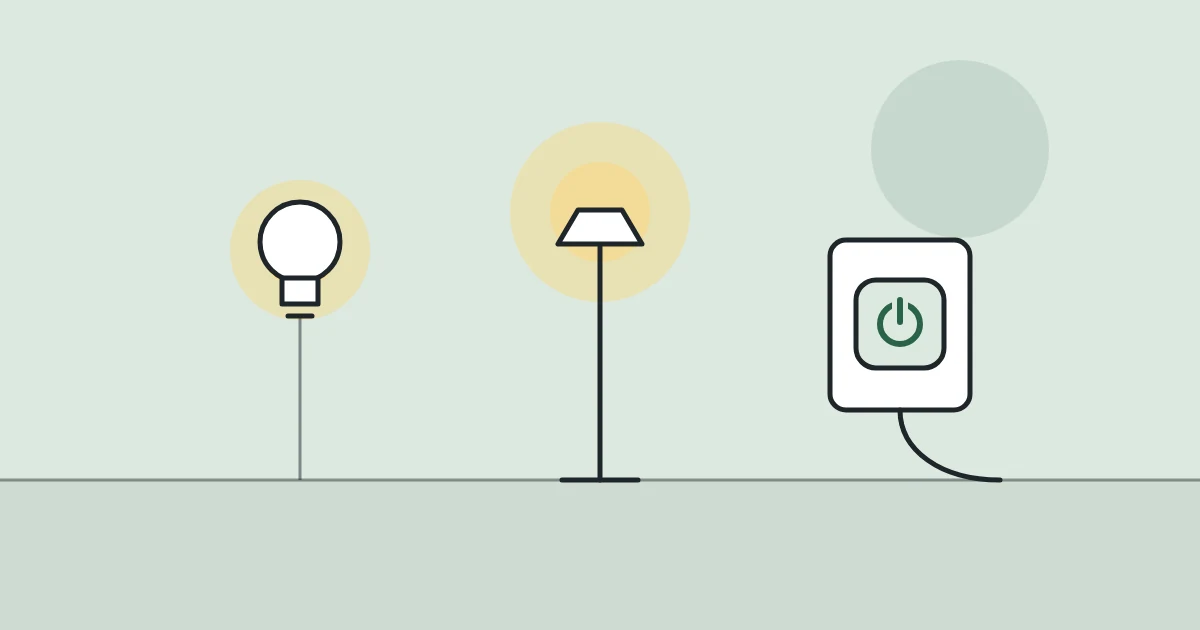
Smart bulbs, light strips and a smart plug on a lamp all work without rewiring. Here is which to choose, and the one thing that catches renters out.